Jump 30 seconds past the ads, step back 15, change the speed.
Android · wired 3.5 mm and USB-C earphones
Your earphone buttons, your rules.
Double-press for the next track, hold for your assistant, tap volume twice to skip back. JackKey turns the three buttons on your wired earphones into the controls you actually want, so you don’t have to reach for the phone.
- Free on Google Play
- No account, no ads
- Pro is one payment
Watch
See it in action
Watch all on YouTube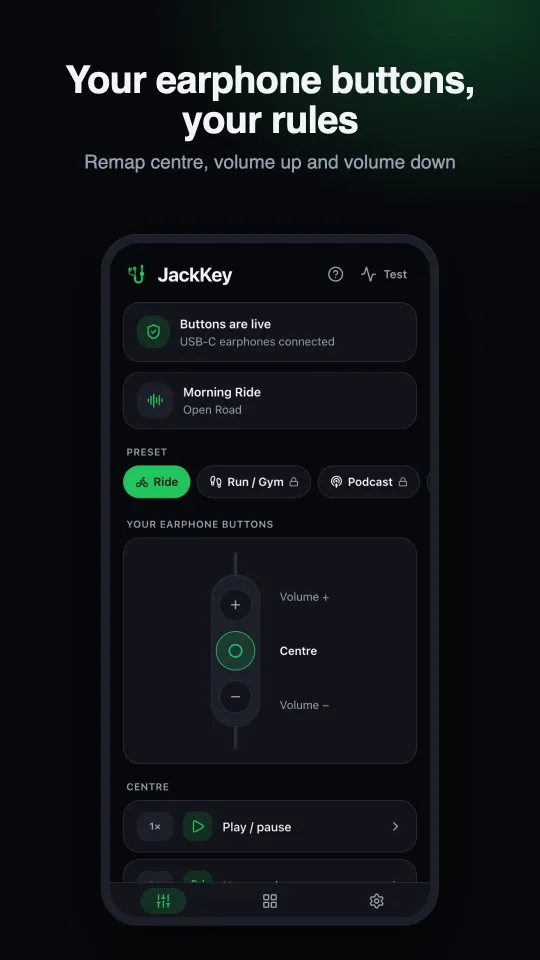
Media first
Skip, go back, pause, ride the volume. Works with Spotify, YouTube Music and most players.
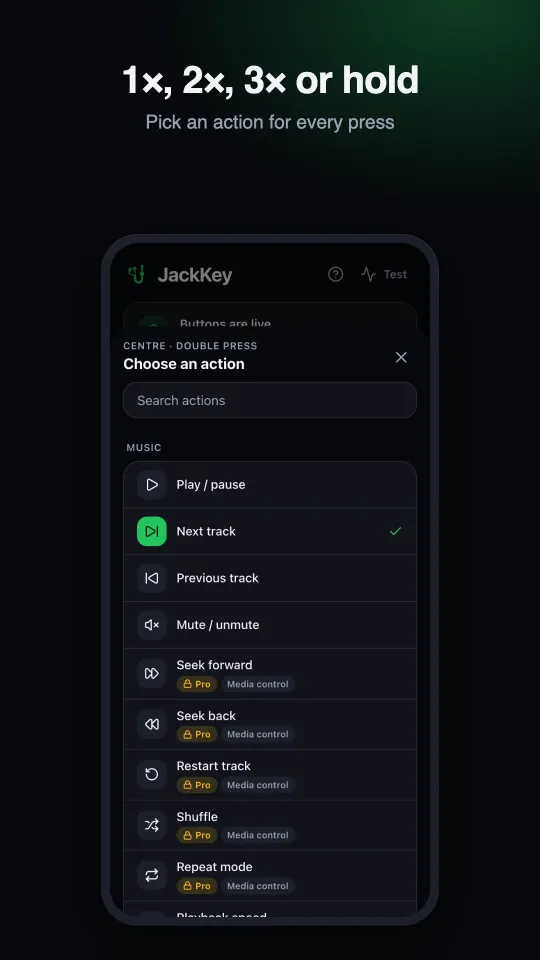
1×, 2×, 3× and hold
Twelve gestures across centre, volume up and volume down. Your phone’s own volume keys stay normal.
Private by design
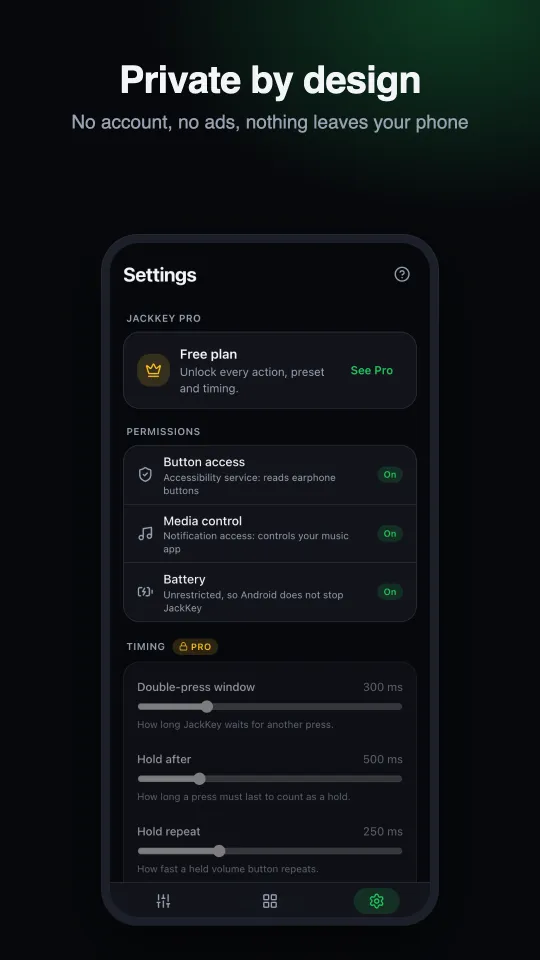
No account, no tracking, no ads. Nothing leaves your phone.
Setup
Set up in a minute
- Step 1
Plug in
Wired earphones with buttons: 3.5 mm, USB-C, or a headset on a USB-C adapter.
- Step 2
Allow access once
Accessibility to see the button presses, notification access to control your music app. Nothing leaves your phone.
- Step 3
Press and remap
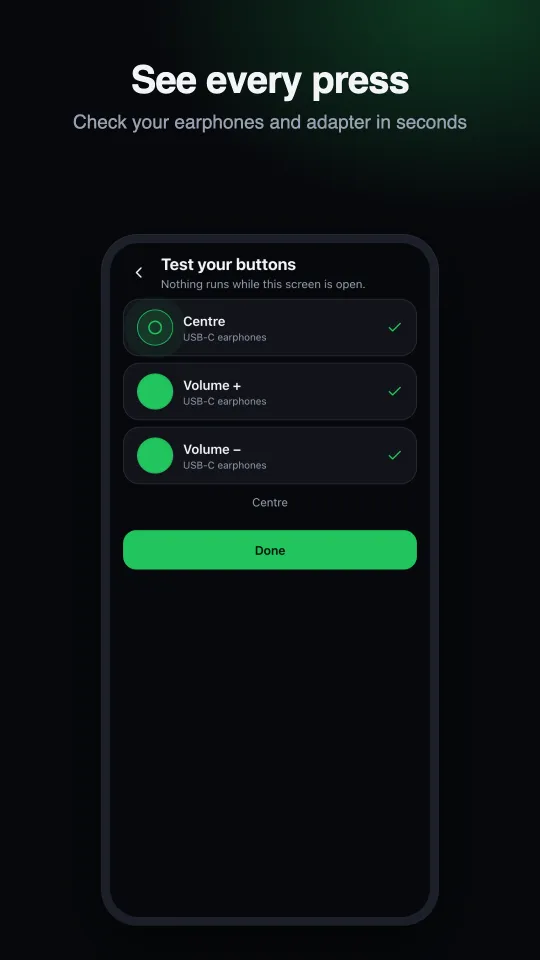
Pick a preset or set each tap, double, triple and hold yourself. The tester shows every press.
Presets
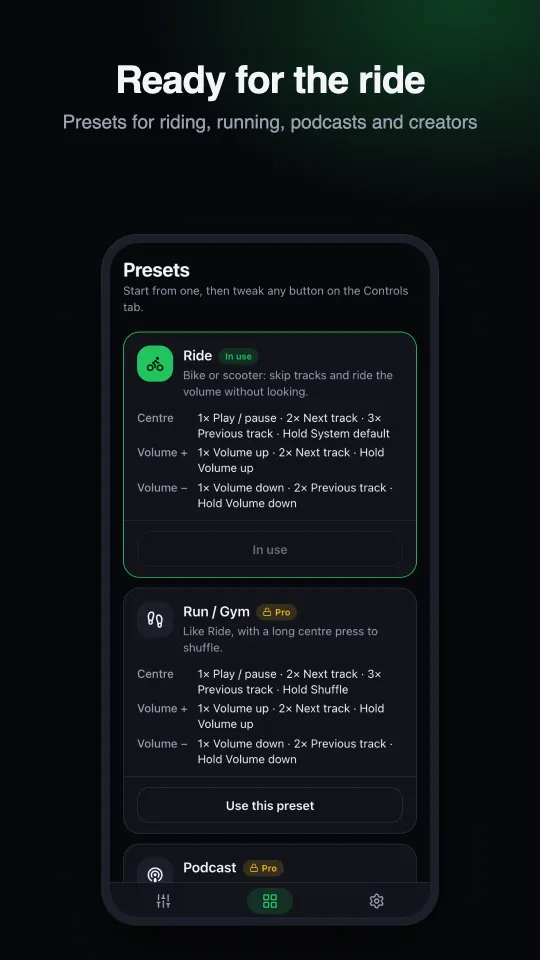
Presets for how you move and create
Ride
Bike or scooter: skip tracks and ride the volume without looking.
Run / Gym
Like Ride, with a long centre press to shuffle.
Podcast
Jump +30 s / −15 s and change the playback speed.
Commute
Hold the centre for your assistant; hear what is playing.
Creator
Double-press for the camera, triple for video, hold for Do Not Disturb. Vol+ stays your shutter.
Honest limits
What works when
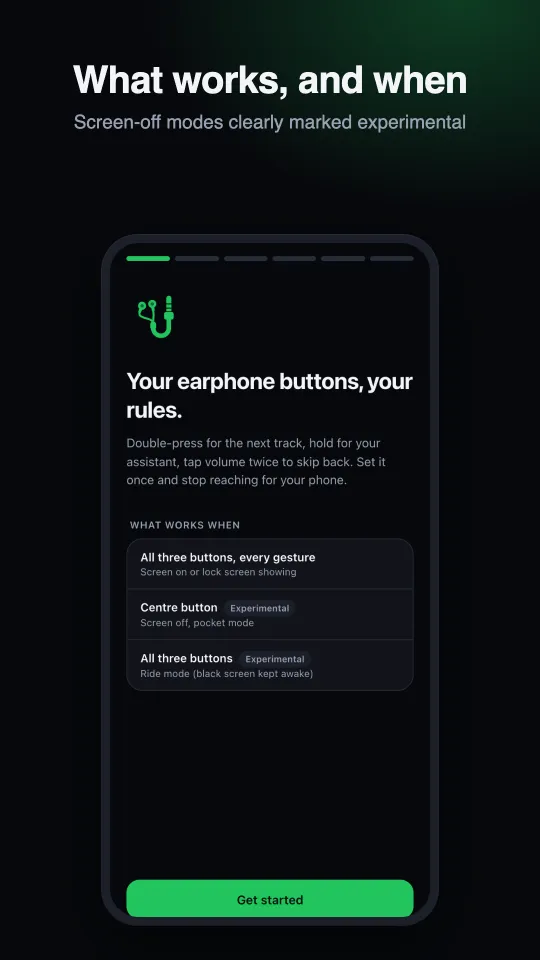
Android limits what any app can hear with the screen off. We’d rather tell you upfront.
Screen on or lock screen showingAll three buttons, every gesture
Screen off, pocket modeCentre button
Ride mode (black screen kept awake)All three buttons
Free to use. Pro is US$1.99, once.
Every button and gesture is free. Pro adds the power actions and all presets, with no subscription.
Get JackKey
Free on Google Play. Pro is one payment, not a subscription.